Aegis Authenticator, the two-factor app that never syncs to a cloud
Listen to the audio version
The article on two-factor authentication recommended a dedicated app over SMS, since it resists interception far better. What that article didn't get into is that not every authenticator app handles one detail the same way: where the secrets that generate those codes actually live.
The principle: a strictly local encrypted vault
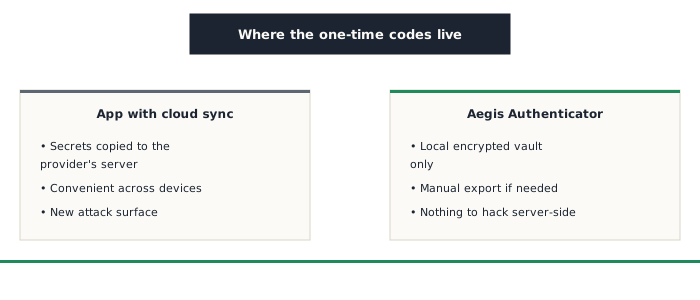
Aegis Authenticator, a free and open-source Android app, generates the same one-time codes as any standard authenticator app, from a secret shared with each service during initial setup. The difference is where that secret is kept: in an encrypted vault stored only on the device, protected by a password or a fingerprint, never automatically copied to an external server.
Why cloud sync in a 2FA app raises a real question
Several major authenticator apps now offer automatic backup or sync to the provider's own cloud account: convenient when switching phones, but it shifts the same trust question already raised for other tools on this site: that cloud becomes a potential target, and a 2FA secret passing through it, even encrypted, then depends on the security of that third-party service rather than on the physical device alone. Aegis makes a different choice, closer to KeePassXC's: no automatic sync, a manual encrypted export remains possible for switching devices or making a backup, but nothing leaves the device without an explicit action from its owner.
What this means in practice
If a cloud account tied to another, synced authenticator app is compromised, an attacker could potentially gain access to the secrets generating codes for several accounts at once. With Aegis, with no cloud to compromise, that attack path simply disappears: there's nothing to steal remotely, only the physical device itself, already protected by its own lock.
Things to keep in mind
- No automatic sync means a lost device without a recent backup export leads to losing access to every account it protected, the same trade-off already noted for KeePassXC: making a regular encrypted export, and storing it somewhere safe, becomes a real responsibility
- Aegis remains Android-only, with no official version on other platforms
Who it's for
Aegis Authenticator suits anyone who has already grasped the value of a dedicated authenticator app over SMS, and wants to push that logic all the way: trusting no third-party service at all, not even for the simple backup of the secrets protecting their most sensitive accounts.