KeePassXC, the password manager with no account and no server
Listen to the audio version
Bitwarden rests on a solid zero-knowledge architecture, but still keeps a server at the center of the system, even when that server is self-hosted. KeePassXC starts from a radically different principle: no server at all, no account to create, just a file.
The principle: a single encrypted file, nothing else
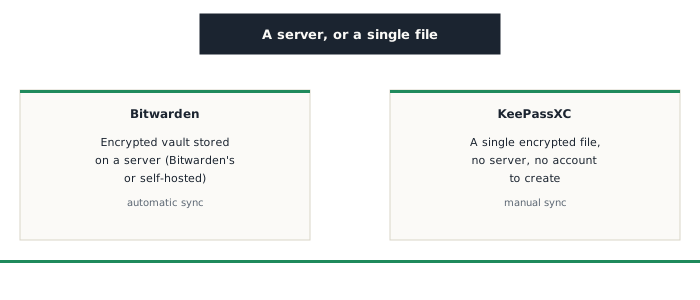
KeePassXC, free and open-source software, stores an entire password vault in a single encrypted file (in .kdbx format), protected by a master password and, optionally, an additional key file. This file can be placed anywhere: a local drive, a USB stick, or a folder synced by a regular cloud service of the user's choice. Unlike Bitwarden, there's no dedicated server to reach, no account to create, no company being trusted, even in encrypted form, with keeping this file safe.
Syncing: a responsibility that falls on the user
This simplicity has a direct trade-off: KeePassXC syncs nothing automatically across multiple devices. Getting the same vault onto a phone and a computer requires placing the file in a folder synced by a third-party service of your choice (a regular cloud, or a self-hosted solution), an extra step you have to set up yourself, where Bitwarden handles it automatically the moment an account is created.
Local two-factor: key file and YubiKey
Beyond a simple master password, KeePassXC lets you combine a key file (a file generated once and required alongside the password to open the vault) or a physical security key like a YubiKey (see the similar mechanism already described in the article on two-factor authentication). This combination strengthens the local file's protection, an extra layer that's particularly useful since, by design, there's no remote server to detect or block a suspicious access attempt.
Things to keep in mind
- With no account or server, there's no recovery process if the master password is forgotten or the file is lost with no backup: backup responsibility falls entirely on the user (see the article on backups)
- The lack of an official mobile app unified with the desktop version (KeePassXC is primarily desktop software, with compatible mobile apps existing separately) takes a bit more setup than an all-in-one solution like Bitwarden
- The encrypted .kdbx file stays safe even if it's intercepted, but syncing it through a regular, non-end-to-end-encrypted cloud service shifts some trust onto that service for simply transporting the file, not for its content
Who it's for
KeePassXC suits anyone who'd rather keep full, local control over their password vault, without depending on an online service or trusting a provider, even a transparent one like Bitwarden. It's a deliberate trade-off between ease of use and total control: more setup up front, in exchange for depending on literally no third party to access your own passwords.