Backups, the best protection against ransomware
Listen to the audio version
The article on malware mentioned backups as the best protection against ransomware, without dwelling on it. Yet it's the only protection that stays effective once everything else has failed, provided it's done correctly.
Why a local backup alone isn't enough
An external backup drive permanently plugged into the same computer, or reachable from the same network, doesn't protect against ransomware: this kind of malware generally encrypts everything it can reach, including backup drives connected at the time of infection. A backup compromised at the same time as the original is worthless right when it's needed.
The 3-2-1 rule, the industry standard
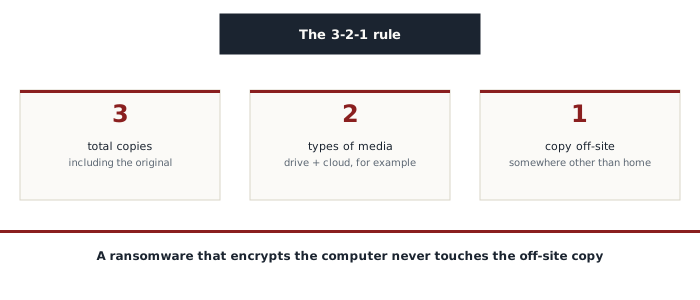
The 3-2-1 rule, widely recommended across the industry, comes down to three simple numbers: keep at least three copies of the data (the original plus two backups), on two different types of media (for example an external drive and cloud storage), with at least one copy off-site, physically somewhere other than home. That last condition also protects against a fire, a theft, or any disaster affecting the place where the computer and its local backup both sit at once.
Offline or immutable backup, the real protection against ransomware
Against ransomware specifically, the most reliable protection remains a copy fully disconnected from the network at the time of infection, an external drive unplugged after each backup for instance, since a file a ransomware technically can't reach can't be encrypted. An option increasingly offered by serious cloud services is immutable backup: a copy that can be neither modified nor deleted for a period set in advance, even by a compromised admin account, a protection designed specifically against modern ransomware that actively tries to delete available backups before encrypting everything else.
Testing a restore, not just backing up
A backup that's never been tested through a restore remains a hypothesis, not a guarantee. A corrupted file, a format that's become incompatible, or a backup silently broken for months can all leave a backup unusable with nobody noticing until the moment it's genuinely needed. Restoring, at least once in a while, a test file from each active backup remains the only way to check it actually works on the day it needs to work for real.
What to back up first
- Documents and files that exist nowhere else: personal photos, official paperwork, professional work
- A current project's databases or configuration files, often overlooked in favor of just the visible documents
- Anything whose loss would be irreversible, rather than the entire computer indiscriminately, since a more targeted backup stays easier to maintain and check regularly
A properly done backup turns a potentially devastating ransomware attack into a mere inconvenience: reinstalling a system and restoring the files rather than paying a ransom with no guarantee of getting the data back, and no guarantee the stolen data won't be published anyway.