Cryptomator, encrypting your files before handing them to any cloud
Listen to the audio version
The article on cloud storage explained that most major providers encrypt stored data, but also keep the key on their own side, which leaves them a real technical ability to read the content. Cryptomator, a free and open source tool, addresses that problem without requiring a change of cloud provider.
The principle: encrypting before the file leaves the device
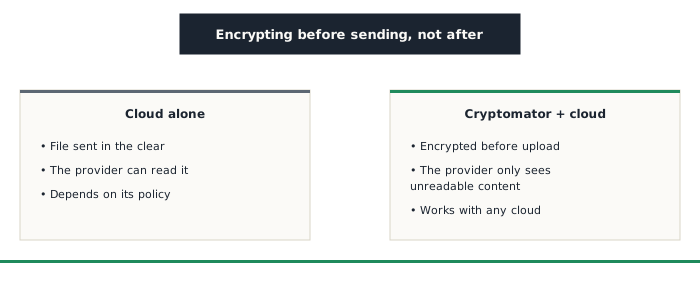
Cryptomator creates a vault, an encrypted folder protected by a password. Once unlocked, that vault behaves like a normal drive: any file dropped into it is automatically encrypted before being written to the real folder synced by the cloud service, which therefore only ever receives content that's already unreadable.
Works with any cloud service
Unlike Nextcloud, which offers to fully replace a classic cloud provider, Cryptomator replaces nothing: it simply encrypts files locally before they join the usual synced folder, whatever service runs behind it, Google Drive, Dropbox, OneDrive, or anything else. It's built for people who want to keep using a service they already have, without switching or giving up its convenience.
File names are encrypted too, not just the content
One detail sets Cryptomator apart from several similar tools: it encrypts both the content of files and their names, along with the folder structure that contains them. Many encryption tools only protect content, leaving file names and folder organization visible in the clear to the provider, a leak of information that can, on its own, reveal a lot about what's stored without ever needing to read the content itself. With Cryptomator, the cloud provider only sees a string of names and files rendered unreadable, with no clue about their real content or original organization.
What this doesn't change
The cloud provider still sees the size of stored files, how often they sync, and the overall volume of data moved, metadata that encrypting content and names doesn't hide. And just like VeraCrypt or KeePassXC, a forgotten vault password makes its content permanently inaccessible, with absolutely no recourse from anyone.
Who it's for
Cryptomator suits anyone who wants to keep using the cloud service they already have without changing their habits, while making sure that provider can't technically read the real content of what it stores. It's a complement to an existing cloud, not a replacement, the same kind of control already sought with the other tools already presented on this site, applied this time directly on top of a service already in use.