Thunderbird, the email client that brings every account together without becoming their provider
Listen to the audio version
Proton Mail is an email provider, with its own address and its own app. Thunderbird plays a complementary role, not a competing one: local software, developed by the Mozilla Foundation, that connects to already-existing email accounts, whatever their provider, rather than hosting a new one.
A client, not a provider
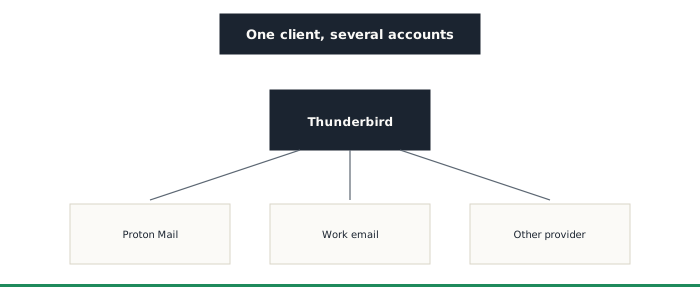
Thunderbird creates or hosts no email address at all: it connects, through the standard IMAP and SMTP protocols, to already-existing accounts, Proton Mail, a work address, or any other compatible provider, and brings them all together into a single local interface. Messages are then downloaded onto the device itself, readable offline, with search and filtering running locally rather than depending entirely on a provider's web interface.
PGP built in natively, no extension needed
Since 2020, Thunderbird has built in direct support for PGP encryption, with no separate extension needed as used to be the case. PGP applies the same public-and-private-key principle already described in the article on symmetric and asymmetric encryption, applied specifically to email: encrypting and signing a message with this mechanism stays possible even with a provider that offers no native end-to-end encryption of its own.
Developed by a foundation, with no direct commercial goal
Thunderbird is developed by MZLA Technologies, a subsidiary of the nonprofit Mozilla Foundation, funded by donations rather than by reselling data or advertising. The code stays open source, the same transparency already sought in the other software featured on this site.
Things to keep in mind
- Using PGP through Thunderbird only encrypts a message if the recipient also has a PGP key set up: encryption never works one-way, unlike the automatic end-to-end encryption between two Proton accounts
- Thunderbird changes nothing about what the connected account's provider sees or keeps on its own server: it's a tool that sits on top of an existing account, not a replacement for that provider's privacy policy
Who it's for
Thunderbird suits anyone managing several email accounts from different providers who'd rather have one unified local interface than juggle several websites, or who wants to add PGP encryption to an account that doesn't offer it natively.