Jitsi Meet, video calls with no account and nothing to install
Listen to the audio version
Most video-conferencing services ask you to create an account, often to install an app, before you can even join a simple call. Jitsi Meet, free and open-source software, starts from a more direct principle: a link is enough.
Joining a call with no account
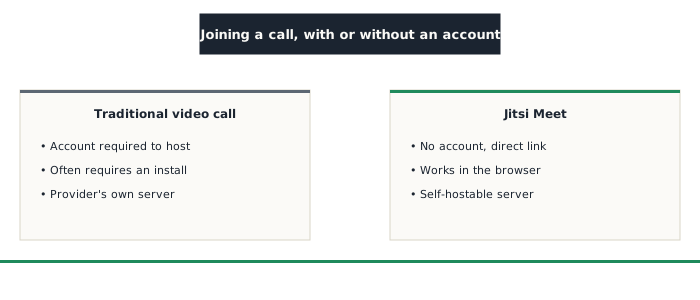
Starting a call on Jitsi Meet is as simple as picking a room name in a web address and sharing that link. Anyone who receives the link can join the call directly from a browser, with no account to create and nothing to install, with a mobile app existing only as an option for extra convenience on a phone.
Open source, and self-hostable
Jitsi's code is published as open source, mainly maintained by 8x8 but open to independent review, the same transparency principle already seen with Signal or Nextcloud. A free public server (meet.jit.si) is offered by default, but anyone can also install their own Jitsi instance on their own server, with the same control-versus-responsibility trade-off already described for Nextcloud.
Encryption, with a real nuance worth knowing
Jitsi offers end-to-end encryption, but with a technical limit common to most group video-conferencing services: this protection generally stays available for small calls, while larger calls often require server-side processing of the video streams (to mix and adapt each participant's feed), which means the server being used, notably the default public one, technically handles these streams at that point. This limit isn't specific to Jitsi: it affects most large-scale group video-conferencing solutions, a point worth knowing rather than assuming is solved by default.
Things to keep in mind
- Using the free public server means trusting 8x8's infrastructure to route the calls, even without reading the content
- A memorable, predictable room link could, in theory, be guessed or found by someone else: protecting a sensitive call with a password, an option available directly in the room's settings, remains a simple precaution worth not skipping
Who it's for
Jitsi Meet suits anyone looking to quickly set up a video call without forcing participants through an account or an install, or who wants to self-host their own video-conferencing service rather than depend on a large commercial provider.